
TK999 Register, Day 2: Open Your Account the Right Way
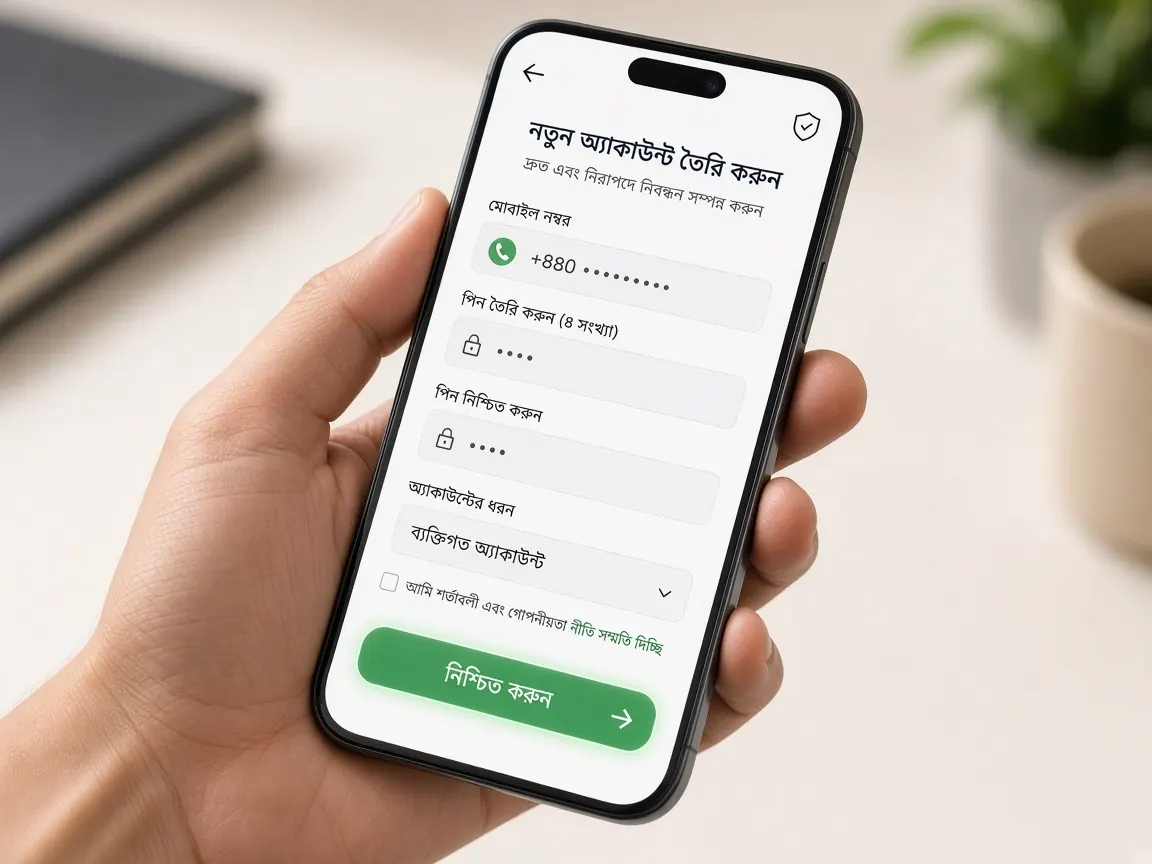
Yesterday you found the real lobby address and bookmarked it. Today is day two, and today's job is opening your account. The form is short, but what you type stays with your account for good; it is checked again when you withdraw and when you verify your identity. So go slowly and pay attention. Remember, this is a guide site and it has no form. The sign-up form is only in the official lobby.
Why registering comes on day two
If you register before you know the address, you risk handing your number and password to the wrong page. That job was done on day one, so today you can start the form with peace of mind. You also don't need to deposit anything on the day you register. Open the account today and stop there. Looking around the lobby is tomorrow's job, and understanding the cashier comes the day after.
Have these ready before you start
- An active mobile number in your own name, and the phone with that SIM. The OTP will come to this number.
- A new password that you have never used on any other app or site.
- A bKash, Nagad or Rocket wallet in your own name, if you have one. It makes name matching easier when you deposit and withdraw later.
- A few quiet minutes. Filling in a form in a hurry, in a crowd, leads to typing mistakes.
- And most important: you must be 18 or older. If you're not, stop here.
Opening your account, step by step
- Open the lobby from your bookmark. Use the one you saved yesterday. If you don't have it, use the lobby button on this page and check the address bar.
- Tap "Register" or "Sign up". It's usually near the top of the page, next to the "Login" button.
- Type your mobile number. The country code is often filled in already. Type the rest and check it once; if one digit is wrong, the code goes to someone else's phone.
- If it asks for a username, keep it simple. Avoid your full name or date of birth.
- Type your password twice. Entering the same password in the second box catches typing mistakes.
- You can leave a referral box empty. It's optional. If someone asks for money in return for a code, stay away.
- Read the rules, then tick the box. Ticking the 18+ and terms box means you agree to those terms.
- Enter the OTP yourself. Type the code only into the lobby's box. If someone phones and asks for it, don't give it.
Go to the lobby and open your account
Small tips for filling the form on a phone
- Keep your keyboard in English. A Bangla keyboard can change numbers or letters.
- If there's an eye icon next to the password box, tap it to see what you typed.
- Make sure your phone's autofill doesn't drop in an old number or password.
- On a weak network, tap the button once and wait. Don't keep tapping.
Choosing a password: today's most important decision
Passwords made from your name, your birth year or the last digits of your phone number are easy for others to guess. Instead, think of a short sentence only you would remember, take a few letters from it and put some numbers in between. If you write the password on paper, don't keep it in your wallet or phone cover. And don't share it with anyone, not even someone who says they are "support".
One person, one account
Don't think about opening a second account on a friend's number or a second SIM. More than one account can break the rules, and it can get stuck later during identity checks or withdrawals. If someone else opens an account for you, they also keep your password, so open your own account yourself. More in the agent warning lesson.
Common problems
The OTP isn't arriving
Check that you typed the number correctly and that your SIM has network. Wait a little, then ask for the code again. Asking again and again very quickly can block it for a while.
It says "this number is already registered"
Maybe an account was opened with this number before. Don't look for another number; follow the login lesson and reset your password to get in. If that doesn't solve it, tell the lobby's live chat.
The page keeps spinning after I submit
Don't tap the button again. Wait a little, then try to log in to see if the account was created. Only fill in the form again if it wasn't.
After registering: two things tonight
Once the account is open, your balance will show zero. That's normal. Don't deposit today. Do just two things: log out and back in once to make sure you remember your password, and keep that password somewhere safe. Tomorrow, on day three, you'll follow the first login lesson and get to know the lobby menus.
A word about offers: TK999 has a free signup bonus, and there's a 100% match on your first deposit. For both, the terms shown in the lobby are final. Before you take either, read the signup bonus and first deposit bonus lessons.
Questions about registering
Why is there no sign-up form on this guide site?
Because this isn't the official site; it's only a place to learn. Your number and password should go only to the real lobby, never to another site. If you see a sign-up form on any guide or blog page, don't type anything into it. To open an account, use the button on this page to reach the lobby.
Can two people in my family open accounts with the same phone number?
Don't do this. Keep a separate number in your own name for each account, because the OTP, password reset and identity check are all tied to the number. Sharing one number can later cause confusion about whose account is whose. Read what the lobby rules say too.
I spelled my own name wrong on the form. What should I do?
Don't open a new account. If your profile has an option to correct it, fix it there; if not, tell the lobby's live chat. Make sure the name matches your ID card and your wallet, because that is what may be checked during verification.
Should I take the free signup bonus on the day I register?
There's no rush. The free signup bonus does exist, but how it's added, what you must play and when you can withdraw are written in the terms in the lobby's promotions section. Read the terms first and take it only if you understand them. A simple explanation is in the signup bonus lesson.
Someone from "support" phoned and asked for a code to finish my registration. What do I do?
Hang up and don't share the code. You enter the registration OTP yourself, only in the lobby's box. Real help is in the live chat inside the lobby, not in a call from an unknown number. How to write to live chat is explained in the support guide.
Register at the official lobby
This site is not official; it is only for learning. Form boxes and rules can change in the lobby, so what the lobby shows is final. Gambling carries a risk of losing money. Play responsibly. 18+.